The Loxone Hörmann Tree is a compact interface module for integrating Hörmann garage door operators.
An up-to-date list of compatible Hörmann operators is available online.
Table of Contents
- Mounting
- Commissioning
- Programming
- Limitations
- Software Index
- Diagnostic
- Inputs, Outputs, Properties
- Documents
Mounting↑
Hörmann Tree is connected to the BUS connector of a compatible Hörmann door opener using the provided adapter cable. Always refer to the manual to ensure you are using the correct BUS connector.

For HCP1 models, the device is immediately ready for pairing.
The door opener is automatically recognized.
For HCP2 models, the BUS-Scan must first be activated on the door opener to activate the power supply for the device to be able to pair it. Activation varies depending on the door opener model:
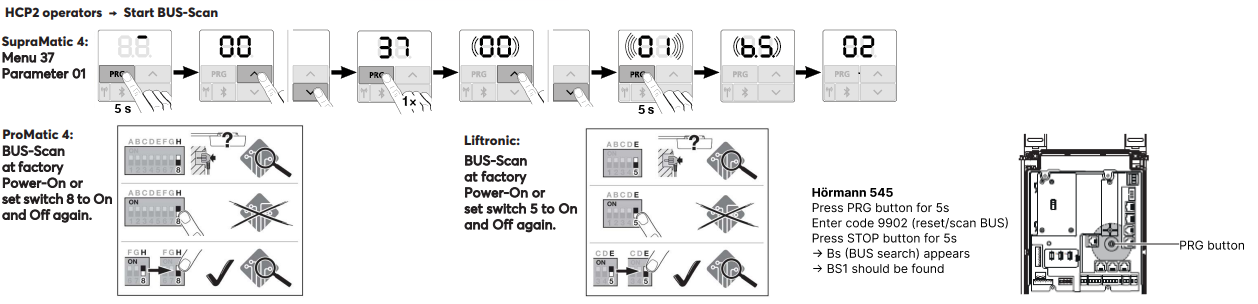
After activating the BUS-Scan (power supply), the device can be paired.
The door opener is then automatically recognized.
Commissioning↑
For commissioning, the device must be supplied with power and a connection to the Miniserver must be possible via the Tree Interface.
Then follow the pairing procedure on the Tree Interface.
Programming↑
The Loxone Hörmann Tree is programmed and set up using the Garage / Gate function block in Loxone Config:
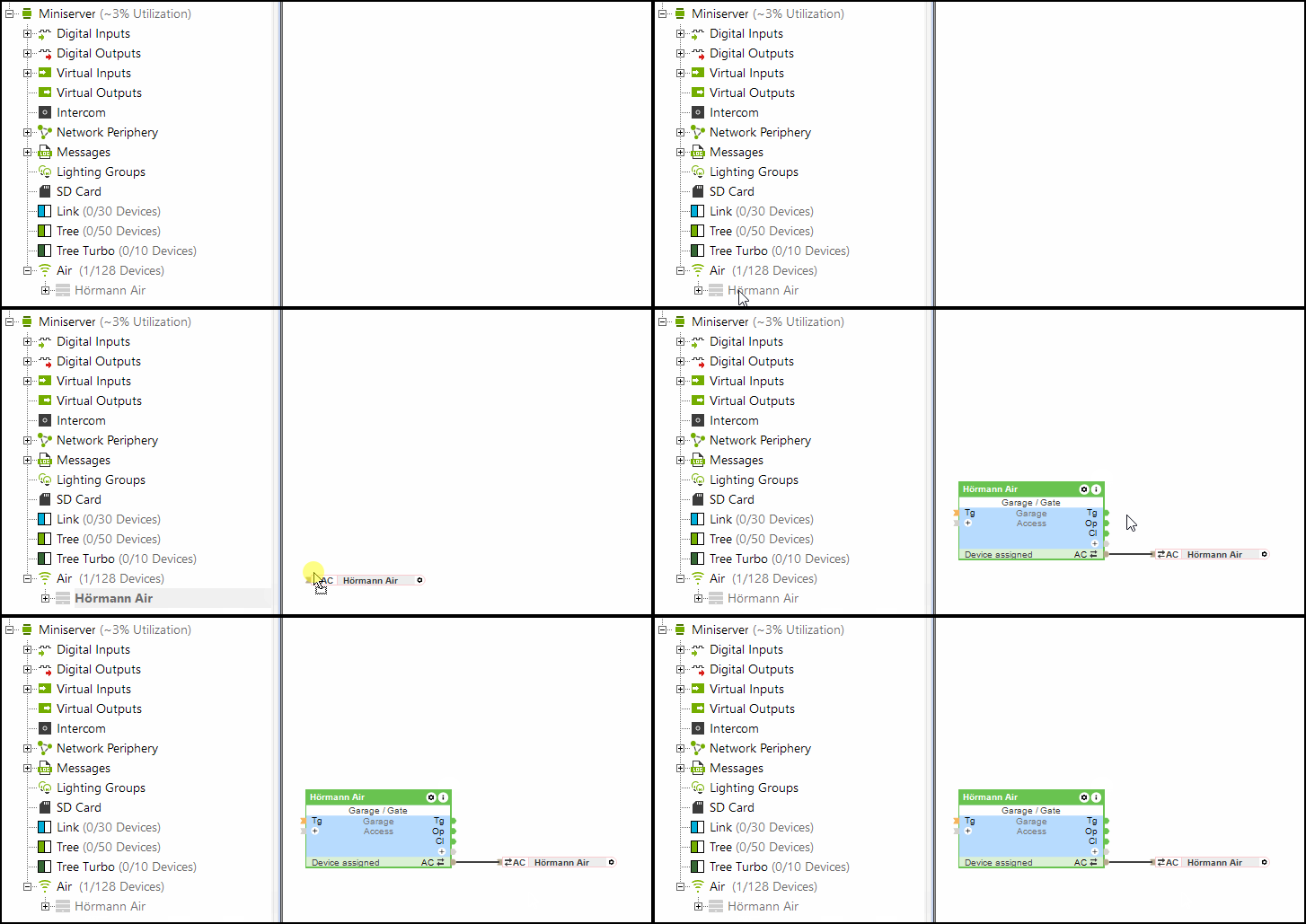
The (Po) input (partially open) of the Garage/Gate block is also supported by Hörmann Tree.
Limitations↑
With HCP1 openers, an error may briefly be displayed on the drive during an update. The function is not affected. After sending a command again, the error is no longer displayed.
When using the Hörmann Tree, the Hörmann HKSI climate sensor cannot be used in parallel.
Software Index↑
With the software index the compatibility to Loxone Hörmann Tree can be checked, the supported operators are listed online.
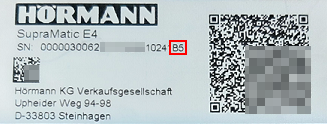
You can find the serial number along with the software index (starting with a capital letter) on the label of the Hörmann garage door opener.
Diagnostic↑
If the Hörmann operator has detected a warning or error, a system message will be active. Please check the device directly to view the error code or status displayed. For detailed troubleshooting instructions, refer to the device’s manual based on the indicated status.
Actuators↑
| Summary | Description | Value Range |
|---|---|---|
| API Connector | Intelligent API based connector. API Commands | - |
| Light | Activates the door opener lighting . The lighting is also automatically activated whenever the door opens or closes and remains on for the time specified in the opener. | 0/1 |
Diagnostic Inputs↑
| Summary | Description | Unit | Value Range |
|---|---|---|---|
| Online Status Hörmann Tree | Indicates whether the device can be reached by the Miniserver. Diagnostics for Air devices Diagnostics for Tree devices Diagnostics for Extensions | Digital | 0/1 |
| Actuator information | Digital | 0/1 | |
| Communication error | Digital | 0/1 | |
| No communication | Digital | 0/1 |
Properties↑
| Summary | Description | Default Value |
|---|---|---|
| Monitor Online Status | If checked, you will be notified via System Status or the Mailer if the device is no longer available or goes offline. | - |
| Serial Number | Specifies the serial number of the device. Enter 'Auto' to automatically pair a Tree device with unknown serial number. This can only be used if there is only one Tree device of the same type on a standalone Miniserver (not in a Client-Gateway setup). Save in the Miniserver to pair the Tree device. Afterwards the program must be loaded from the Miniserver to transfer the actual serial number of the Tree device into the program. | - |
| Automatically learn travel durations | Automatically learn travel durations | - |