The Curtain Control Air brings Silent Gliss 5600 curtain systems into LOXONE Automatic Shading: open for daylight, closed against sun and for privacy - and still moved by a pull on the fabric. It sits in the drive"s module slot and is supplied by it, and the Air interface connects it to the Miniserver wirelessly.
Datasheet Curtain Control Air for Silent Gliss 5600
Table of Contents
Mounting↑
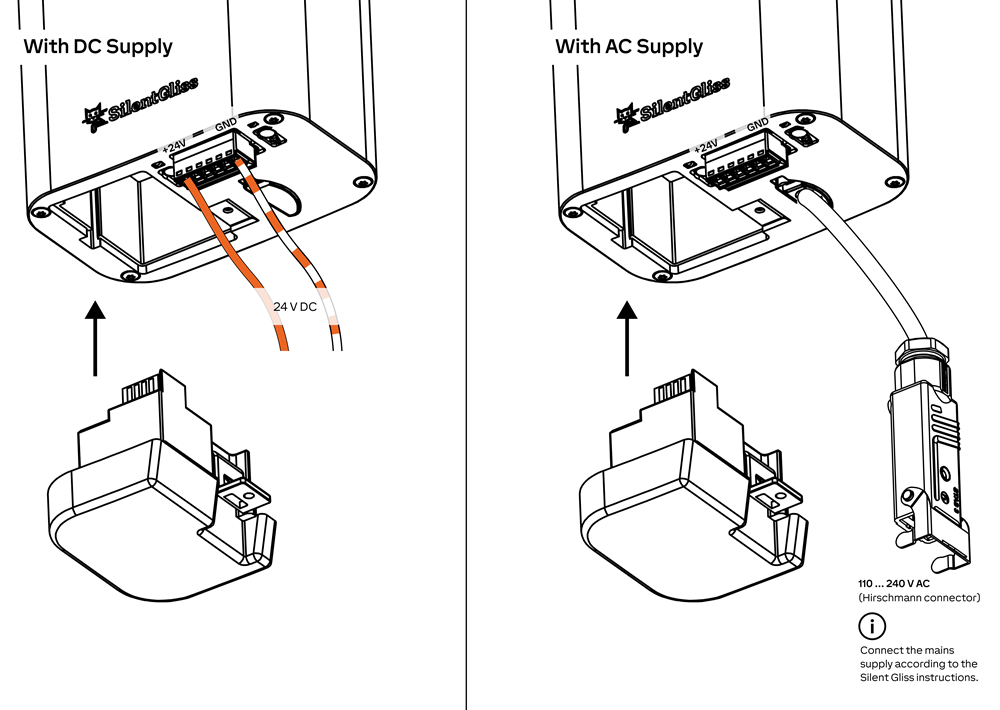
Install the Silent Gliss 5600 curtain system according to the manufacturer's instructions.
Then insert the Curtain Control into the module slot of the drive.
Commissioning↑
In delivery state, pairing mode will be active after the power supply has been established. This is indicated by the status LED flashing red/green/orange.
Then follow the pairing procedure on the Air Interface.
To activate the pairing mode manually, switch off the power for 10 seconds, then switch it back on. If no connection to a Miniserver can be established for two minutes, then pairing mode is activated for 5 minutes.
Programming↑
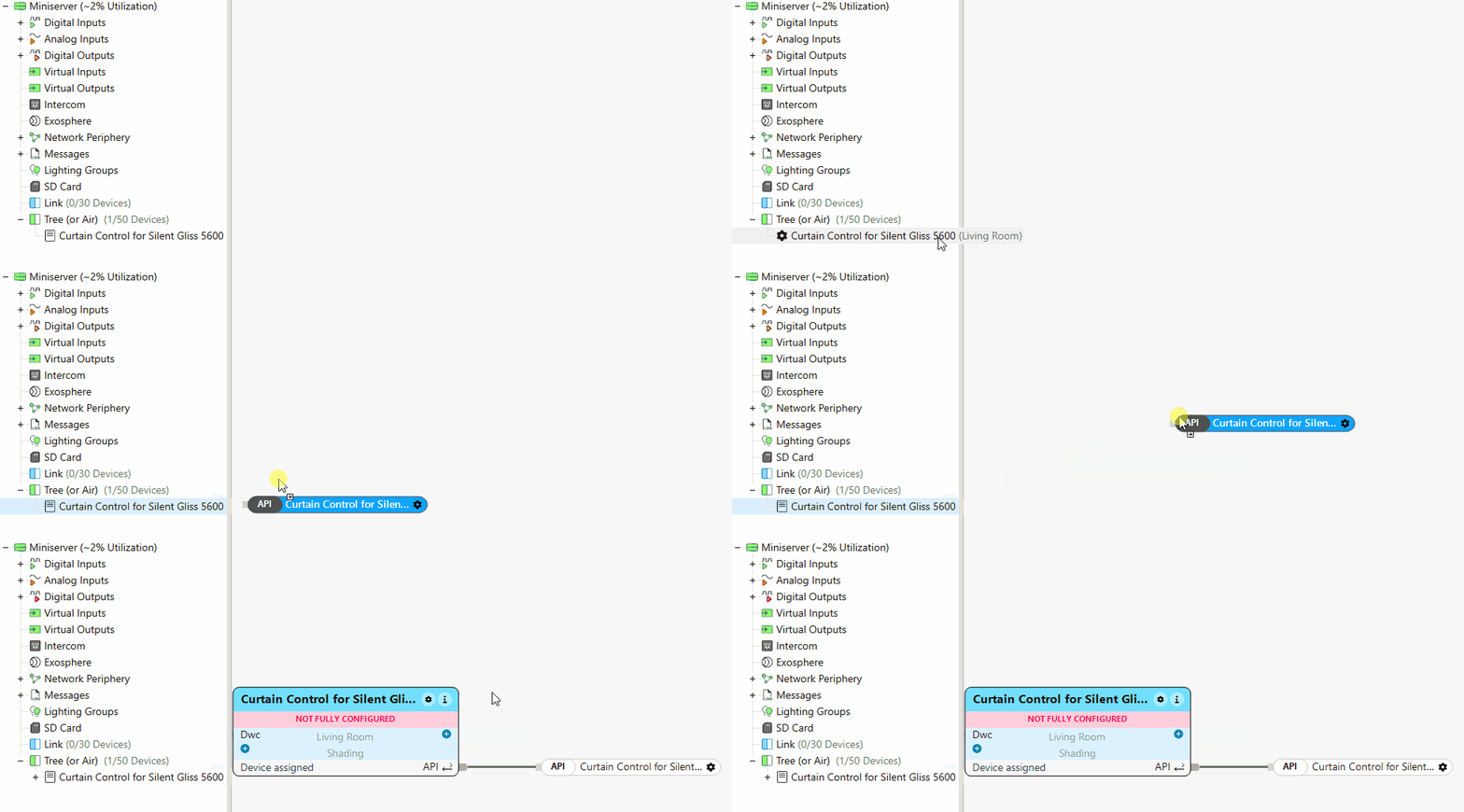
The LOXONE Curtain Control is programmed and set up using the Automatic Shading integrated function block in LOXONE Config:
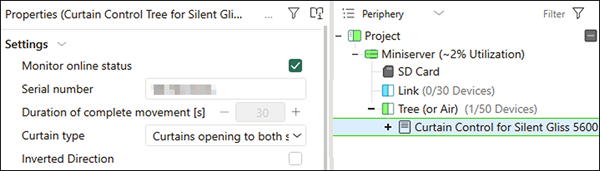
In the device properties, the curtain type can be configured.
The movement direction can also be inverted depending on the installation, ensuring that the up and down commands in the LOXONE App correspond to the actual movement.
The end limits can be set or adjusted directly in the LOXONE App under "Service Mode". The movement direction can also be changed here.

Actuators↑
| Summary | Unit |
|---|---|
| API Connector | Text |
Diagnostic Inputs↑
| Summary | Description | Unit | Value Range |
|---|---|---|---|
| Online Status Curtain Control Air for Silent Gliss 5600 | Indicates whether the device can be reached by the Miniserver. Diagnostics for Air devices Diagnostics for Tree devices Diagnostics for Extensions | Digital | 0/1 |
| System temperature | Provides the internal device temperature. This is often the temperature of the CPU or another location in the device. | ° | ∞ |
| Temperature Shutdown | Input is active, when the outputs of the device have been switched off due to high device temperature. Possible reasons: Ambient temperature too high, outputs overloaded. | Digital | 0/1 |
| Motor in motion | Digital | 0/1 |
Properties↑
| Summary | Description | Value Range | Default Value |
|---|---|---|---|
| Monitor online status | If checked, you will be notified via System Status or the Mailer if the device is no longer available or goes offline. | - | - |
| Disable Repeater functionality | Disable repeater functionality of this Air device. LOXONE Air is based on mesh technology. Any air device connected to the power supply can repeat packets from other Air devices, thus extending the range and stability of the overall system. In large systems with a large number of air devices in a confined space, the communication between the air devices can lead to a very high radio channel utilization. A reliable accessibility of the air devices can not be guaranteed. Disabling repeater functionality on individual Air devices can help. Do not disable this function recklessly as this may affect the range and stability of the system. | - | - |
| Serial number | Serial number of Air device. Automatic pairing can be enabled on the Air Base. Automatic pairing can be enabled on the Airbase for a set time. | - | - |
| Duration of complete movement [s] | Duration of complete movement in seconds Measured automatically after the first movement (this motor has no speed setting) | 1...600 | 30 |
| Curtain type | How the curtain opens. Determines the animation shown in the app. | - | - |
| Inverted Direction | Invert direction. Required when Up/Down connection is made the wrong way round. | - | - |
Safety Instructions↑
Installation must be carried out by a qualified electrician in accordance with the applicable regulations.
Documents↑
Datasheet Curtain Control Air for Silent Gliss 5600