The function block Media Control allows for different devices to be controlled via a common interface, similar to a universal remote control
Table of Contents
Inputs↑
| Abbreviation | Summary | Description | Unit | Value Range |
|---|---|---|---|---|
| Ptg | Power toggle | Toggles power between on and off of current mode. Double-click ends the current mode. | - | 0/1 |
| Poff | Power off | Powers off the current mode. Double-click also powers off the current mode. | - | 0/1 |
| Pon | Power on | Powers on the current mode. Double-click powers of the current mode. | - | 0/1 |
| V+ | Volume+ | Increases volume or starts current mode when power is Off. Double-click executes the command Channel up (Ch+). | - | 0/1 |
| V- | Volume- | Decreases volume of the current mode. Double-click ends off the current mode. | - | 0/1 |
| V | Set volume | % | 0...100 | |
| Ch+ | Channel+ | - | 0/1 | |
| Ch- | Channel- | - | 0/1 | |
| Ch | Set channel | Switches to channel based on it's number. | - | ∞ |
| Mode | Set mode | Activates mode based on it's assigned ID. | - | ∞ |
| M1-8 | Mode 1-8 | Activates mode 1-8. Double-click ends the current mode. Positive Edge on Input always executes 'Change to Mode' actions. | - | 0/1 |
| T5 | T5 control | Button 2 : Volume up or starts current mode when power is Off. Double-click executes the command Channel up (Ch+). Button 5 : Volume down; Double-click ends the current mode. | - | ∞ |
| Off | Off / Lock | Pulse (< 200 ms): Outputs are reset / switched off. Pulse (> 200 ms): Block is locked. Dominating input. Pulse (> 500 ms): The name of the connected sensor is used in the user interface. | - | 0/1 |
| DisPc | Disable periphery control | Disables inputs (Ptg), (Poff), (Pon), (V+), (V-), (V), (Ch+), (Ch-), (Mode), (M1-8), (T5), (Off) when On. (e.g Child lock, cleaning) Control via user interface is still possible. | - | 0/1 |
Outputs↑
| Abbreviation | Summary | Description | Value Range |
|---|---|---|---|
| M | Current mode | ∞ | |
| P | Power state | ∞ | |
| O1-26 | Analog outputs 1-26. | ∞ | |
| API | API Connector | Intelligent API based connector. Can link several functions between devices and blocks. API Commands | - |
Parameters↑
| Abbreviation | Summary | Description | Unit | Value Range | Default Value |
|---|---|---|---|---|---|
| Rem | Remanence input | Remanence input: If active, the function block retains its previous state after a Miniserver reboot. The state of the function block is saved: – When saving to the Miniserver – At a planned reboot – Before a backup – Once per hour The data is saved on the SD card. | - | 0/1 | 0 |
| Nst | Numpad send timeout | Time after last input before sending the number automatically without further confirmation. | ms | 0...∞ | 3000 |
| Tdc | Time double-click | 0 = Disables double-clicks | s | 0...∞ | 0,35 |
Properties↑
| Summary | Description | Default Value |
|---|---|---|
| Mode | Edit modes of the media controller | - |
Basic Programming↑
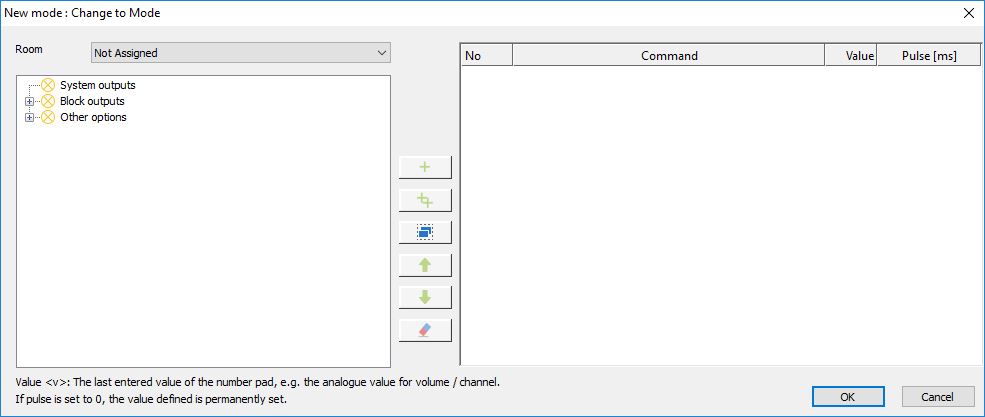
Double-click on the program block to open the configuration dialog. Here you can add the desired devices and modes:

Now switch to the Configuration tab.
Here, the commands can now be assigned to the individual buttons in the user interface, depending on the mode.

In the Configuration dialog, 3 trees are displayed on the left side:
- System outputs such as device outputs - Block outputs O1-26 - Functions