The Loxone Weather Service allows you to manage and utilize weather data within your system.
Table of Contents
Properties↑
| Summary | Description | Default Value |
|---|---|---|
| Monitor Service | If checked, you will be notified via System Status or Cloud Mailer if this service subscription has expired or is about to expire. | - |
Information↑
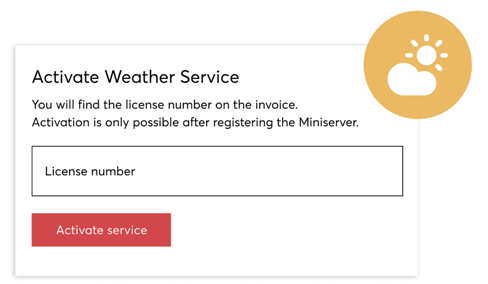
The Loxone Weather Service allows you to manage and utilize weather data within your system. To use this service, it must be activated in the "My Products" section of your Loxone account by entering the license key received after purchase. Please note that the Miniserver must be connected to the Internet, as weather data is retrieved from an external server.
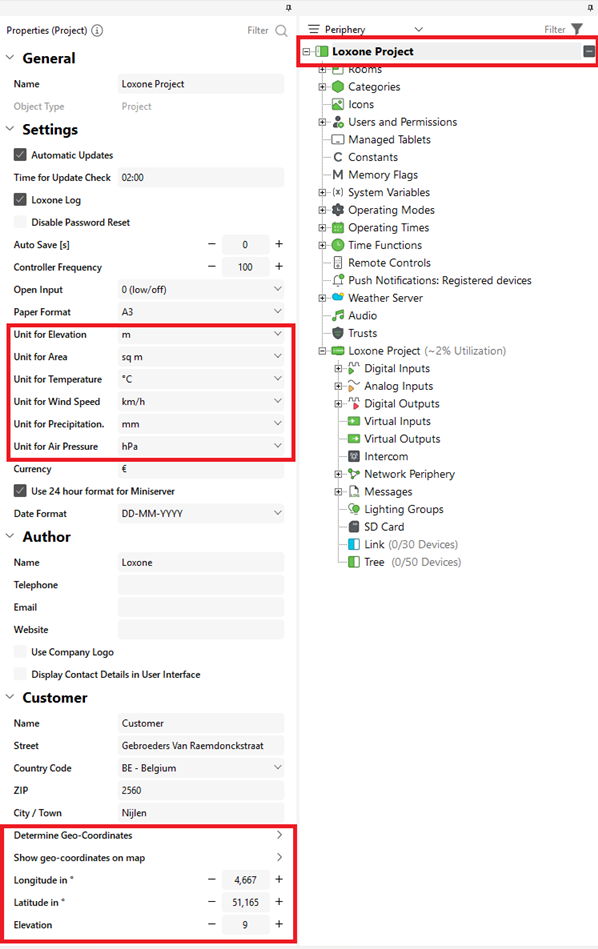
To ensure accurate weather data, set the Miniserver location in the project properties. The geo-coordinates will be calculated automatically, provided the Miniserver has a working internet connection. You can also define the preferred unit type for the weather data within the same properties.
Once the Weather Service has been added, it is important to save the configuration to the Miniserver to ensure that weather data is received and regularly updated.
THE FOLLOWING WEATHER INFORMATION IS AVAILABLE
| Data | Description | Unit |
|---|---|---|
| Absolute Irradiance | The total solar energy (sunlight) reaching a surface | W/m² |
| Dewpoint | The temperature at which air becomes saturated with moisture and dew forms | ° |
| Error weather forecast data | Indicates that weather forecast data could not be retrieved | On/Off |
| Gusts | Sudden, brief increases in wind speed | km/h (depends on project settings) |
| Hazard Warning | Alerts for potential dangers | On/Off More Information |
| Last weather forecast update | The time when the latest weather forecast data was received | Date & Time |
| Particulate Pollution | Tiny particles in the air (dust, smoke, etc.) that can affect air quality and health | µg/m³ |
| Perceived Temperature | What the temperature feels like to humans, considering wind and humidity | ° |
| Precipitation | Any form of falling precipitation: rain, snow, sleet, or hail | mm (depends on project settings) |
| Pressure | The atmospheric pressure | hPa (depends on project settings) |
| Relative Humidity | The percentage of moisture in the air compared to the maximum it can hold at that temperature | % |
| Relative Irradiance | The current sunlight intensity as a percentage of the maximum possible at that location and time | % |
| Solar Irradiance | The amount of solar power received per unit area | Analog More Information |
| Sunshine | Indicates whether the sun is currently shining | On/Off More Information |
| Temperature | The current air temperature | ° |
| Time weather data | The timestamp of the last received weather data | Date & Time |
| Weather data error | Shows if there was a problem receiving or processing weather data | On/Off |
| Weather type | Describes the current weather condition | Analog More Information |
| Wind Direction | The direction from which the wind is coming | ° |
| Wind Speed | The speed of the wind | km/h (depends on project settings) |
Hazard Warning↑
All Types
Air Quality
Avalanches
Coastal
Cold
Earthquake
Flood
Forest Fires
Geological
Hail
Heat
Low Visibility
Rain
Snow
Thunderstorm
Volcanic
Wind
Solar Irradiance↑
Radiation Risk Classification (0–3)
The classification simplifies solar irradiance into levels for practical use:
Class 0: 0–20% → Very Low Radiation
Class 1: 20–40% → Low Radiation
Class 2: 40–60% → Moderate Radiation
Class 3: 60–100% → High Radiation
Sunshine↑
Click here for more information on how the Sunshine Detection is calculated.
Weather Type↑
1 = Clear
2 = Bright
3 = Cloudy
4 = Very cloudy
5 = Overcast
6 = Fog
7 = Low Fog
8 = Not used
9 = Not used
10 = Light rain
11 = Rain
12 = Heavy rain
13 = Drizzle
14 = Light freezing rain
15 = Heavy freezing rain
16 = Light rain showers
17 = Heavy rain showers
18 = Thunderstorm
19 = Heavy thunderstorm
20 = Light snow
21 = Snow
22 = Heavy snow
23 = Light snow showers
24 = Strong snow showers
25 = Light sleet
26 = Sleet
27 = Heavy sleet
28 = Light sleet showers
29 = Heavy sleet showers
Weather Forecasting↑
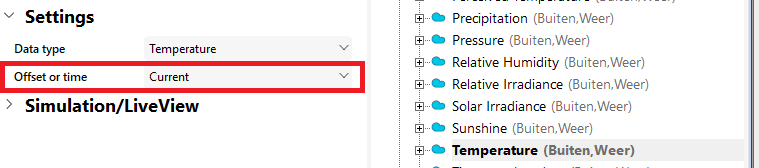
Weather forecasts can be displayed using the Weather Service, with data available up to 66 hours in advance. The displayed forecast time can be adjusted using the (Offset or time) parameter.
Recent Comments