
Config & App 17.3: AI sets up, smartphone unlocks


AI Connect.
With Config MCP, AI now works directly in your project. Activate the MCP server in the menu and connect Claude or ChatGPT with one click. Then describe what you need: the agent creates rooms and devices for you, configures logic and can analyze your project. If something is unclear, it asks instead of guessing.


Reads your project

Creates and connects function blocks

Adds devices

Tests in the simulation

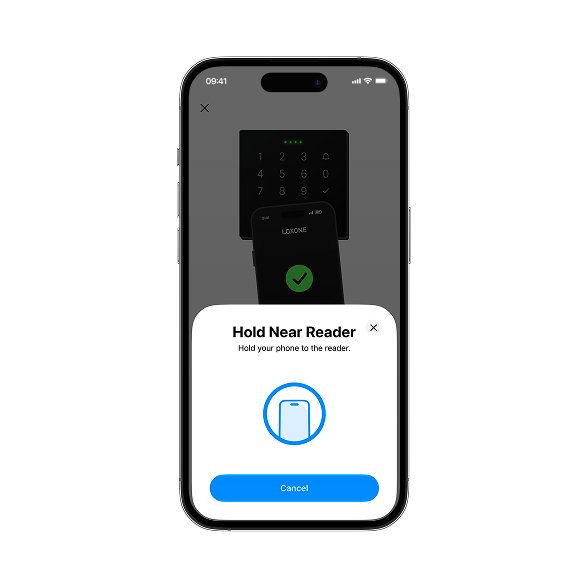
Your smartphone is your key. Now on iOS too.
Hold your smartphone to the NFC Code Touch – door open. The key is stored securely on your smartphone and works even without an internet connection. After Android, now on iOS too. Share keys encrypted, directly via the app.

New widgets for your home screen.
Lighting, garage door & more: control the most important functions directly from your home screen – without opening the app. For iOS & Android.


Charging status live at a glance.

While your car is charging, you see charging power, energy charged, charging time and battery level right on your lock screen. Pause with a single tap. As a Live Activity on iOS and as a Live Update on Android.

Energy management configured automatically.

Auto Configuration now also covers the Energy Manager and Load Manager as well as the Wallbox charging modes with spot price and surplus charging. This gets you from project planning to a finished project faster.

Škoda directly on the Miniserver.
The new Škoda plugin brings vehicle data such as the charging status into your project. Use the data for your own logic and align your energy management with the car. You can also, for example, start and stop charging, turn on the air conditioning or check the range directly in the LOXONE App.

More security for your project.


Two-factor authentication
Can be activated per user or user group. When logging in for the first time with username and password, you confirm it’s you with a code sent by email.

Encrypted project files
Set a password when saving and send projects securely by email.

Logins at a glance
Detect unwanted access immediately.

Faster to a solution with the TechReport.
The new assistant creates a TechReport including a Health Check. Simply add photos or files. This gives Support all the information at a glance – fewer follow-up questions, faster solutions.


Further improvements.

Electrical panels, heating manifolds and Wallbox rows now have room, location and documentation – and are quick to find in the periphery tree.

Activity log now also for push buttons, switches and central function blocks.

New actuator type “Digital Single Channel”: simply use RGBW outputs as digital outputs.

New LiveView display: change input and output values directly, lines stay visible.

Improved pairing dialog for a better overview.