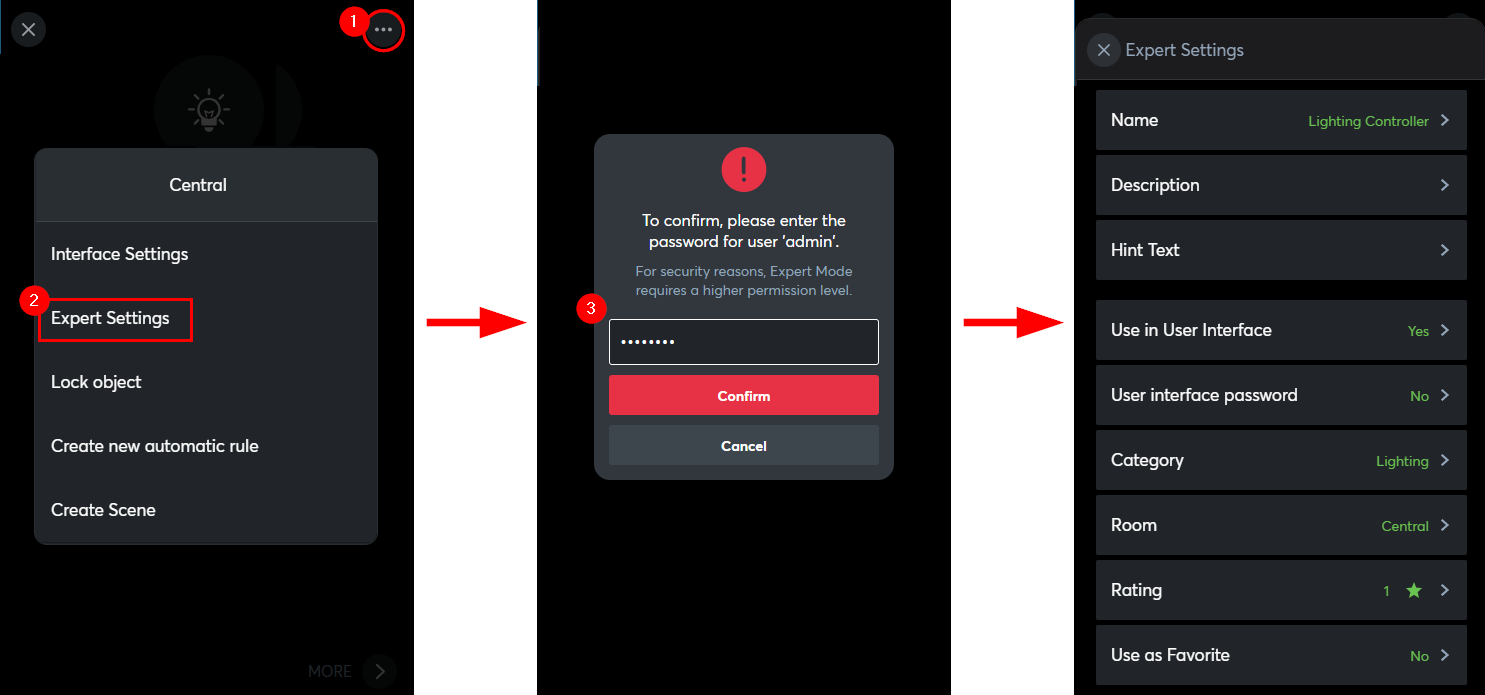
In the Expert Settings, object properties can be changed directly via the user interface.
Only users of the user group full access can access the Expert Settings.
Only users of the user group full access can access the Expert Settings.
Edit Expert Settings
Open the Loxone App and log in with a user from the user group full access.
If a category, room or function block has been selected, you can switch to the respective Expert Settings.
Now the object specific properties can be edited.
The changes are applied when the Expert Settings are exited.