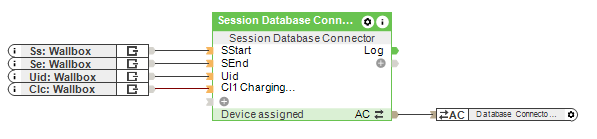
This block can be used to track and display sessions in an Exosphere database, such as wallbox charging.
Table of Contents
Inputs↑
| Abbreviation | Summary | Description | Value Range |
|---|---|---|---|
| SStart | Session start | Pulse at input triggers the start of a session and writes to the database, if configured. | 0/1 |
| SEnd | Session end | Pulse at input triggers the end of a session and writes to the database, if configured. | 0/1 |
| Uid | User-ID | User-ID. If set before being triggered, the user fields of the corresponding user can be used. | - |
| CI1 | Custom input 1 | Additional custom input 1 | - |
| CI2 | Custom input 2 | Additional custom input 2 | - |
| CI3 | Custom input 3 | Additional custom input 3 | - |
| CI4 | Custom input 4 | Additional custom input 4 | - |
| CI5 | Custom input 5 | Additional custom input 5 | - |
| CI6 | Custom input 6 | Additional custom input 6 | - |
| CI7 | Custom input 7 | Additional custom input 7 | - |
| CI8 | Custom input 8 | Additional custom input 8 | - |
| CI9 | Custom input 9 | Additional custom input 9 | - |
| CI10 | Custom input 10 | Additional custom input 10 | - |
| CI11 | Custom input 11 | Additional custom input 11 | - |
| CI12 | Custom input 12 | Additional custom input 12 | - |
| CI13 | Custom input 13 | Additional custom input 13 | - |
| CI14 | Custom input 14 | Additional custom input 14 | - |
| CI15 | Custom input 15 | Additional custom input 15 | - |
| CI16 | Custom input 16 | Additional custom input 16 | - |
Parameters↑
| Abbreviation | Summary | Description | Unit | Value Range | Default Value |
|---|---|---|---|---|---|
| Td | Trigger Delay | Delays writing to database after trigger to make sure all inputs are set | ms | ∞ | 0 |
Outputs↑
| Abbreviation | Summary | Description | Value Range |
|---|---|---|---|
| Log | Log output | Log output on every write operation to the database | - |
| Sa | Session active | Active when a session is currently active | 0/1 |
| API | API Connector | Intelligent API based connector. API Commands | - |
Properties↑
| Summary | Description | Default Value |
|---|---|---|
| Column content | Edit column content. Specify the data that should be written to the database columns. | - |
Programming example↑
In this example, a Wallbox charging billing is recorded in an Exosphere database.
A database must be created in Exosphere and integrated into the configuration using the "Database".
With the "Session Database Connector" block, the database can now be populated with data.
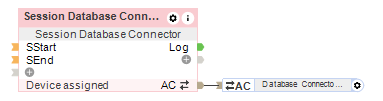
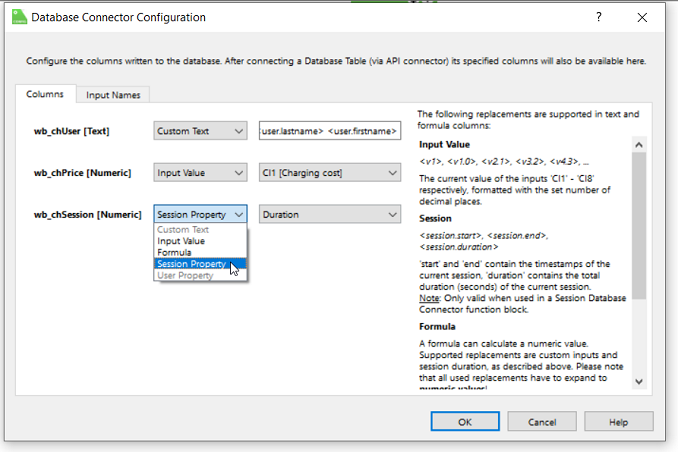
Double-clicking on the block opens the "Database Connector Configuration". Here, the contents of the columns can be defined.
If an option is grayed out, the datatype is not compatible with it.
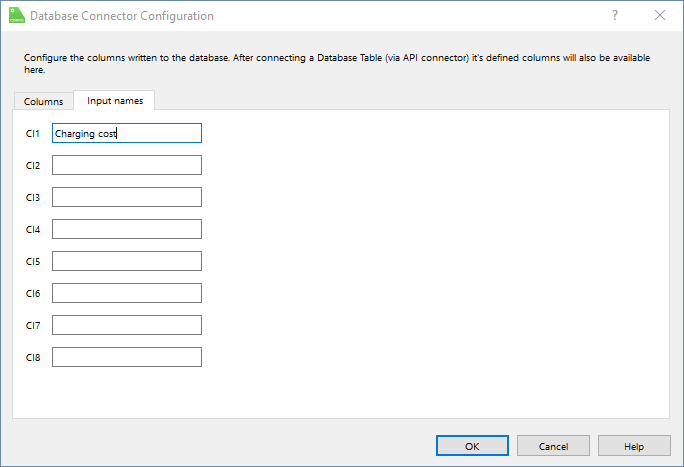
Additionally, the block inputs "CI1-CI16" can be named. These will be displayed in the configuration but not in the Exosphere database.
The start and end of a charging session are transferred to the inputs "SStart" and "SEnd". The charging user is forwarded to the block via the "Uid" input.
The price of the charging session is transmitted to the input "CI1."