What Is Exosphere?
Exosphere makes it easy to manage and analyze large-scale projects involving multiple Miniserver units. With our latest update, you’ll get new analytics features, faster navigation and more flexible dashboards.
New Highlights in Exosphere
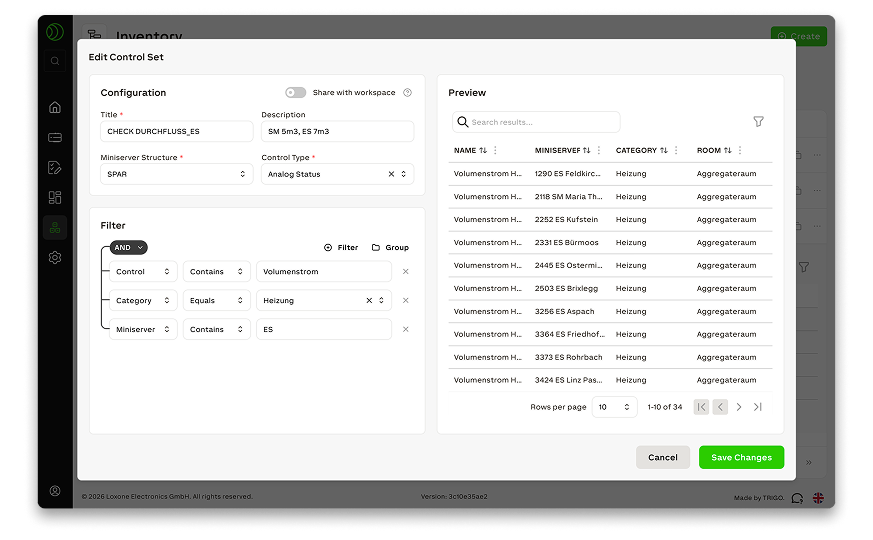
Dashboards with Dynamic Data Sources
Once defined, filter groups can be reused in dashboards and charts. New devices or changes in the workspace are automatically reflected without the need to manually update views.
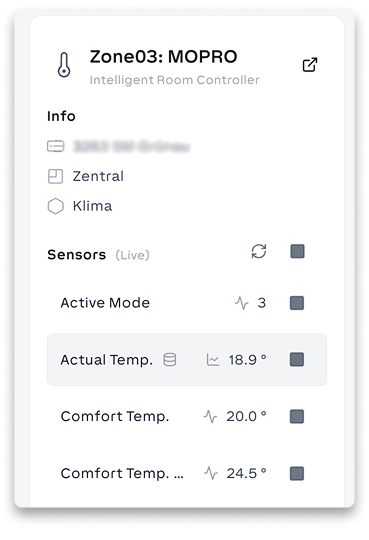
Real-Time Values Directly in the Function Block View
Quickly access live and trend data for your function blocks without having to create a chart first. This way, you always have the latest values at a glance.
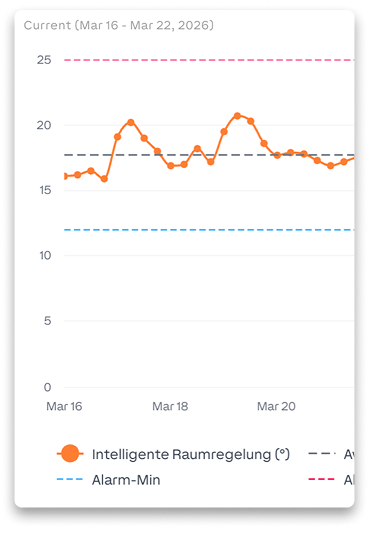
Identify Deviations and Outliers Faster
Compare time periods, locations and target values directly in Exosphere. New analysis and filtering features instantly show where rooms, systems, or buildings deviate from expected values.
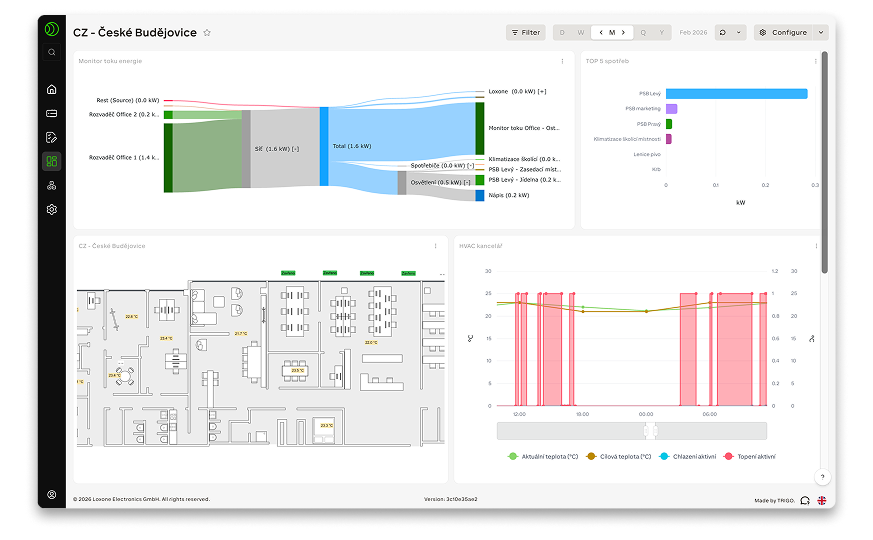
More Flexible Dashboards for Comprehensive Overviews
Dashboards now support multiple screens, scrollable views and collapsible sections. This keeps even large dashboards organized and, when combined with module sets, requires no maintenance.
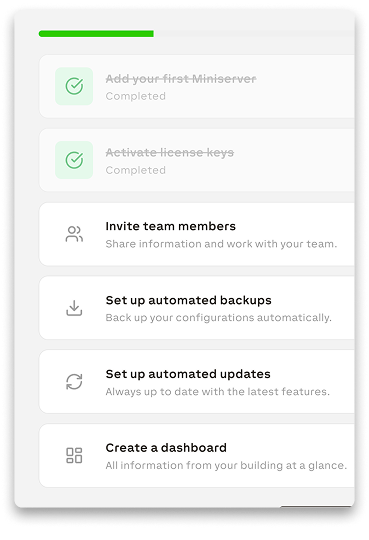
Get Started Faster With the New Onboarding Process
The guided tour walks you through the most important features step by step, right within Exosphere. This helps you get up to speed quickly and start working productively without a lengthy training period.
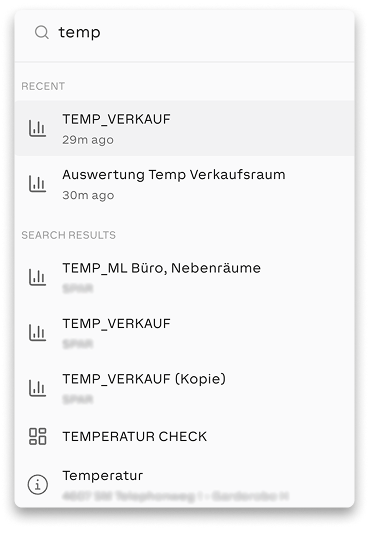
Quick Search Across the Entire Workspace
Use CTRL+K or CMD+K to jump directly to pages, dashboards, devices and function blocks – without having to navigate through menus. This saves clicks and speeds up navigation, especially in large workspaces.
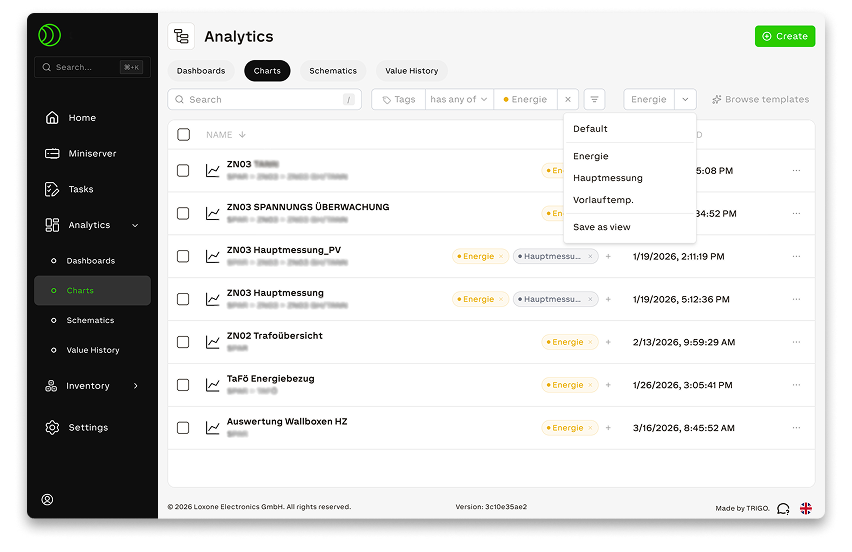
Find Items Faster in Large Workspaces
Assign tags and save filters to find frequently used items more quickly. This makes it easier to work in large workspaces with many devices, pages and data points.